Work Planner: the visit calendar builds itself
A Python and PyQt5 desktop application that turns a list of customers and parts under maintenance into a weekly visit plan, with no manual scheduling.
In brief
- Work Planner is a desktop application written in Python with a PyQt5/PySide interface, built for anybody who organises technical visits to customers.
- It generates a Monday to Friday calendar automatically, applying three criteria: the number of parts per customer, the purchase date of those parts, and geographical proximity worked out from the postcode.
- It handles the customer records and the adding, editing and deleting of appointments, validating the rules at every operation.
- It exports customers, parts and the calendar to CSV.
What the problem was
Anybody servicing products installed at customer sites faces the same question every week: who to visit, in what order, and when. The answer depends on variables that are hard to hold in your head at once: how many parts that customer has, how long ago they were bought, and what it costs to reach them compared with the next customer.
As long as the plan is made by hand, you end up favouring the customers you remember rather than the ones who need it most, and crossing the province twice in the same day.
How it works
Work Planner holds the records of customers and of the parts under maintenance, and builds the calendar from that data. Generation applies explicit rules: how many parts each customer has, since when those parts have been in service, and how close the customers are to each other, measuring proximity by postcode so that destinations which sit together end up on the same day.
The calendar produced covers the five working days. The start date can be set, so the same set of customers can be replanned from a different Monday without redoing everything.
Appointments stay editable
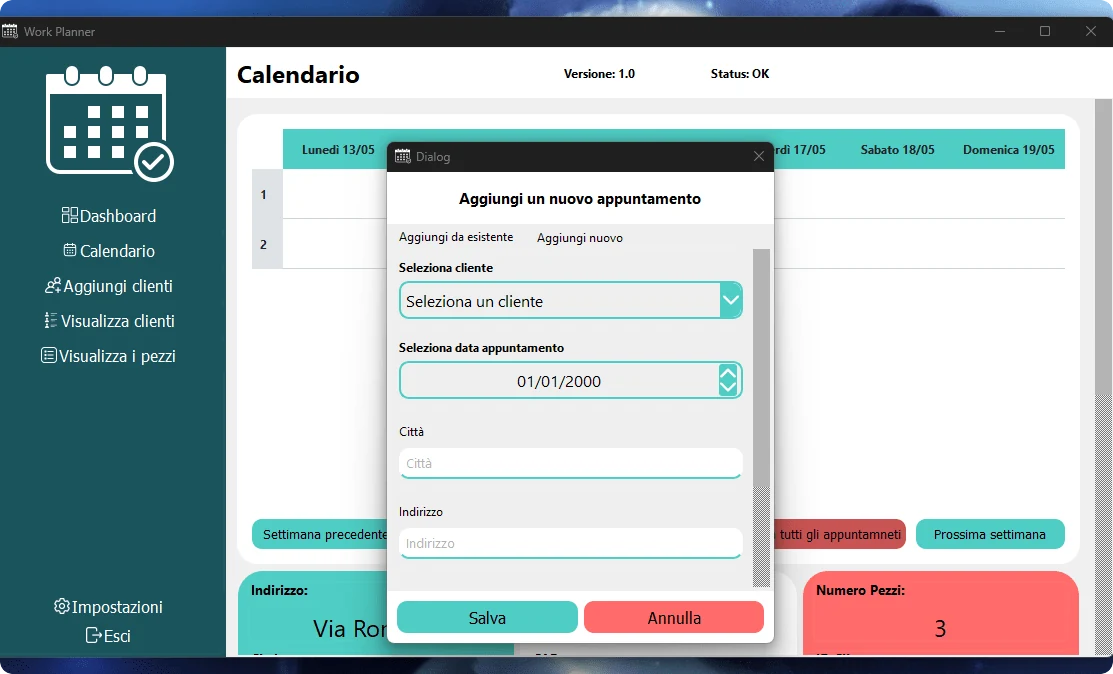
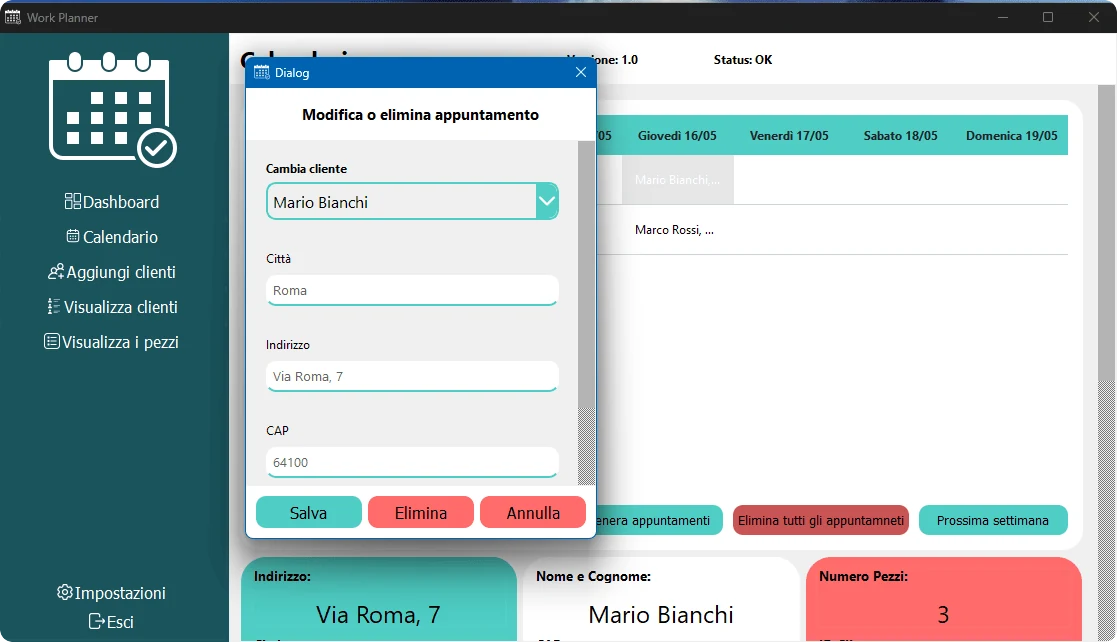
From the calendar you add an appointment by choosing an existing customer or entering a new one, with date, town and address; you edit an existing appointment by changing the customer, town, address or postcode; or you delete it.
Every operation goes through rule validation, so a manual change cannot produce a plan that breaks the criteria it was generated with.
From the dashboard to the export
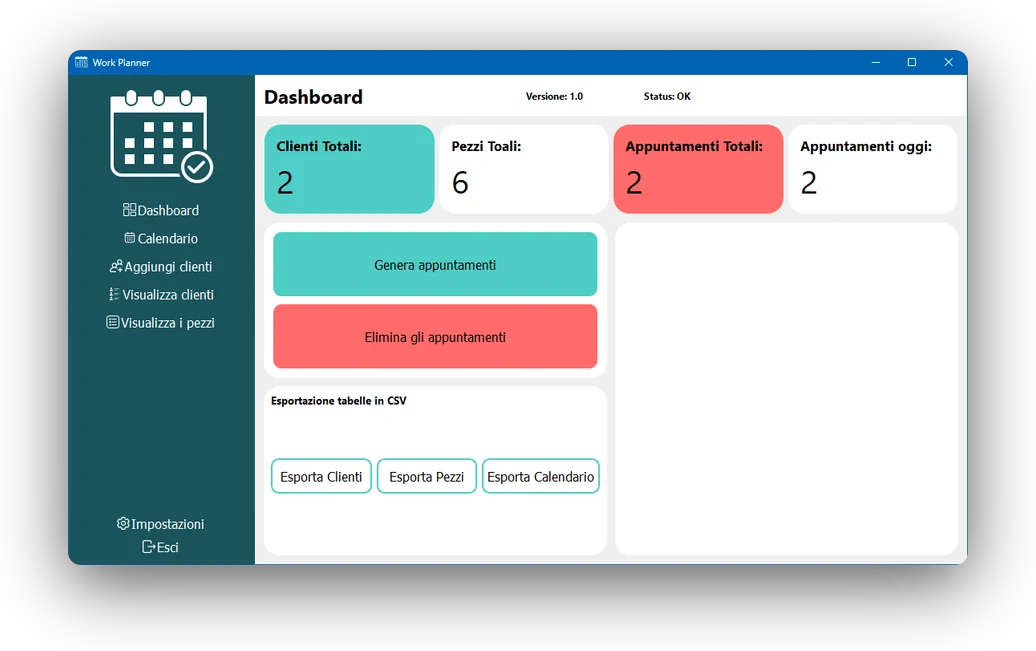
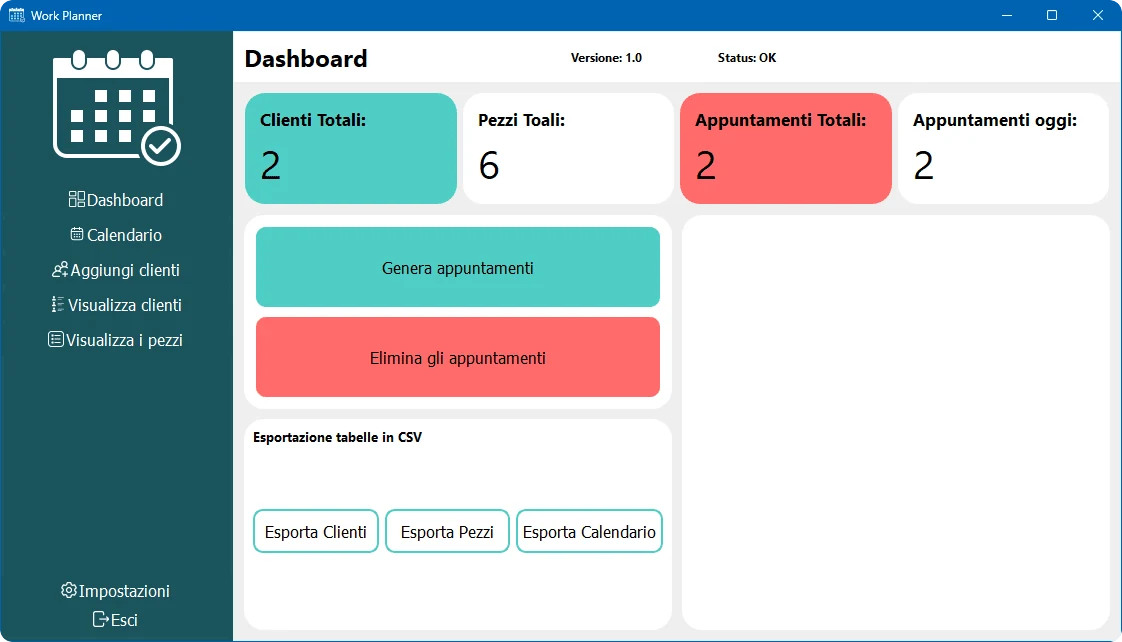
The dashboard sums up the state in four numbers (total customers, total parts, total appointments and today’s appointments), and from there appointments can be generated or cleared in a single step.
Customers, parts and the calendar export to CSV, which is the format this data then goes into a spreadsheet or another system with.
What was delivered
- Complete source code
- Detailed comments in the code
- Visual customisation of the interface
- Responsive layout
Technical details
- Platform: Windows, desktop application
- Year: 2024
- Status: Delivered
- Technologies: Python, PyQt5, PySide, Windows Desktop, CSV, Automation, Database
Do you need software like this?
If you have a process you handle by hand today and would like to automate, tell me about it: we work out together whether it makes sense to build a tool on top of it.
Need something similar? This project is an example of desktop app development. The first meeting and the quote are free: write to me and we will talk it through.